How do I attend a Virtual Instructor-led class?
Click on My Learning. Click on the Launch link next to the Course title.

Why can’t I launch my online or VILT course?
In order to launch either a virtual Training course or an on-line course your registration needs to be in Completed Status. If you paid via Purchase Order then the launch link will not be available until we have received your Purchase Order. If the registration is in Completed status and you still cannot access the content, please contact education@bmc.com
How do I launch my exam/test?
Click on My Learning. Click on the Launch Test link next to the Course title.

How do I see my exam/test score?
Click on My Learning. Click on Exam/Test title. Full details are displayed.

How do I complete a class evaluation?
Click on the Evaluate link next the Course title.

I’ve attended a course but I can’t see it in my Transcript, where is it?
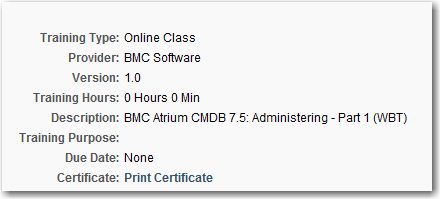
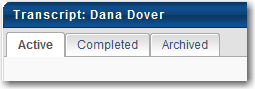
Training that is in progress or courses you are due to take in the future will be in the Active tab of your Transcript. Any courses you have attended or web based training that has been marked as complete or expired will be in on the Completed Tab of your Transcript.
How can I print a class completion certification?
Click on My Learning. Click on Completed tab. Click on Course Title. Click Print Certificate.
I’ve moved to another company, how do I update my email address and company information?
How do I change my password?
How do I view my Training History?
Login to BMC Academy. Click on My Training Record.
What if I cannot see my registration?
Click on Completed or Archived tabs.
How do I register and purchase a course?
What forms of payment can I use?
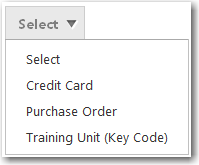
Forms of payment vary by Country. In the USA, Credit Card, Purchase Order and Learning Pass Credits/Training Units are accepted forms of payment. All other countries can pay via Purchase Order or Learning Pass Credits/Training Units.
Why doesn’t my key code work when I try and pay via my Learning Pass Credits/Training Units?
What if my company doesn’t use Purchase Orders and we don’t have a Training Unit/Learning Pass Account?
If your company doesn’t issue Purchase Orders then choose Purchase Order as the method of payment and put in Send Invoice as the PO Number Reference.
How can I print a receipt?
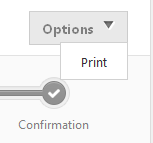
Click on Options. Click Print.
What is a pre-requisite?
A pre-requisite may consist of one or more learning items (ILT,VILT,WBT) that must be purchased and/or completed prior to another learning item.
What is OnDemand Learning (ODL)?
OnDemand Learning and Lab is the perfect combination of web-based training with access to a remote lab. The courses are interactive and self-paced; the lab provides learners with hands-on practice in a private environment.
What is BOLT?
BMC BOLT is a blended learning style that combines four learning elements:
1. Lectures that are recorded into small consumable chunks lasting 5-20 minutes
2. Recorded demos related to lab exercises that can be watched to gain a practical view during the lectures
3. A full lab environment available for a consecutive five-day period during the 90 day offering period
4. Instructor office hours during which an instructor is available to show demos or answer questions
BMC BOLT allows students to take training at their own pace. Because each training module can be taken in 5-20 minute sections, students are able to focus on a specific task needed at a particular time. Then, depending on the role or task, they can also follow multiple learning paths through the modules for guided learning.